

At BlueMind, every new release aims to improve the user experience so that moving to a sovereign email solution feels natural in everyday work.
BlueMind 5.7, available since September 2026, introduces a completely redesigned Contacts app that is easier to use and clearer to navigate.
An interface designed for a smooth workflow
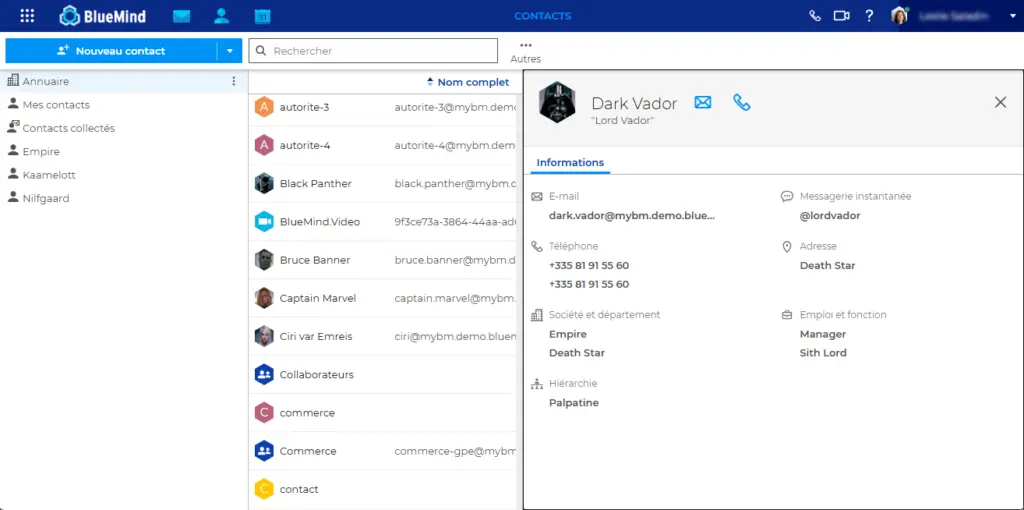
The Contacts app is organised into three panes: the address books you can access on the left, the contact list in the centre, and the details of the selected contact on the right.
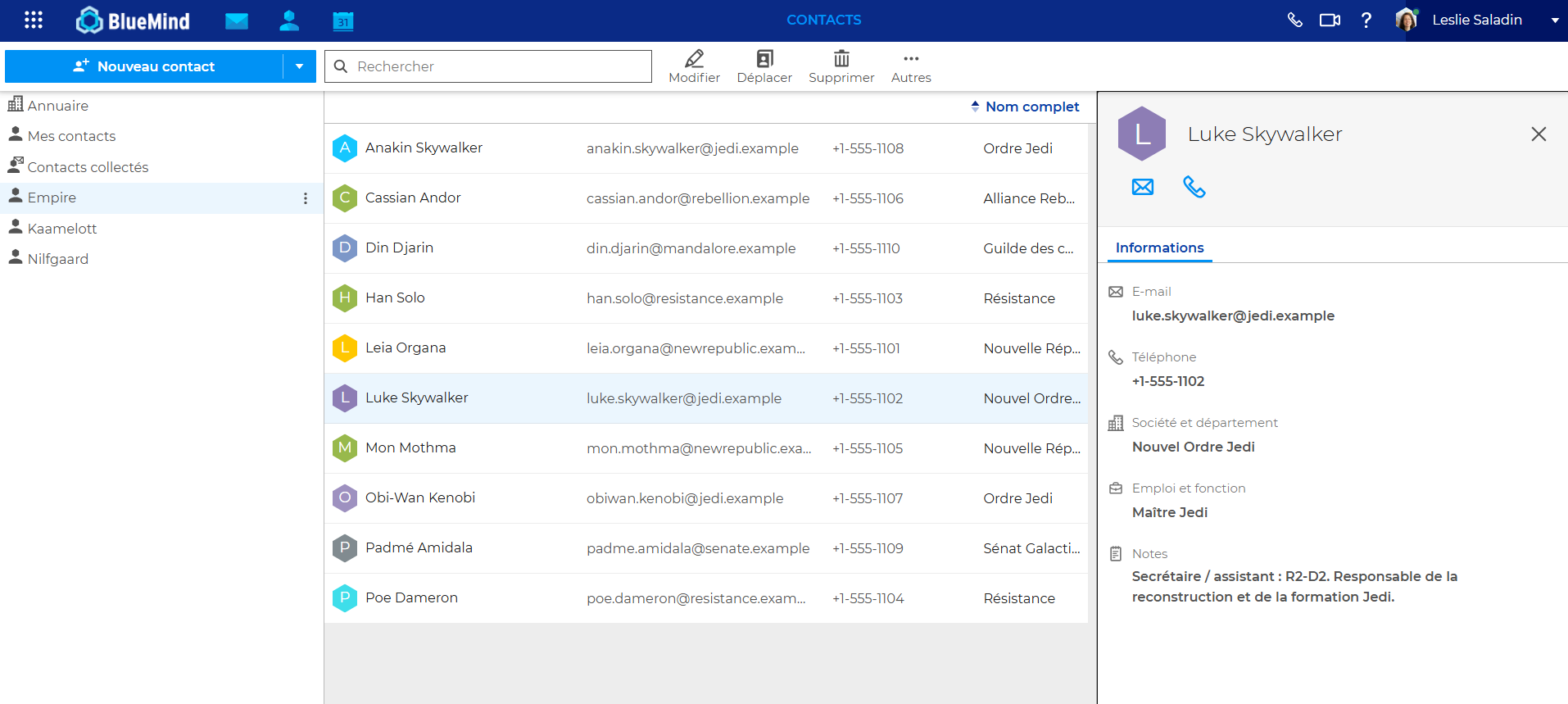
All the actions available for a contact are accessible from their contact card: send an email, make a call if telephony is integrated, schedule a meeting, or copy an address, phone number or any other information on the card.
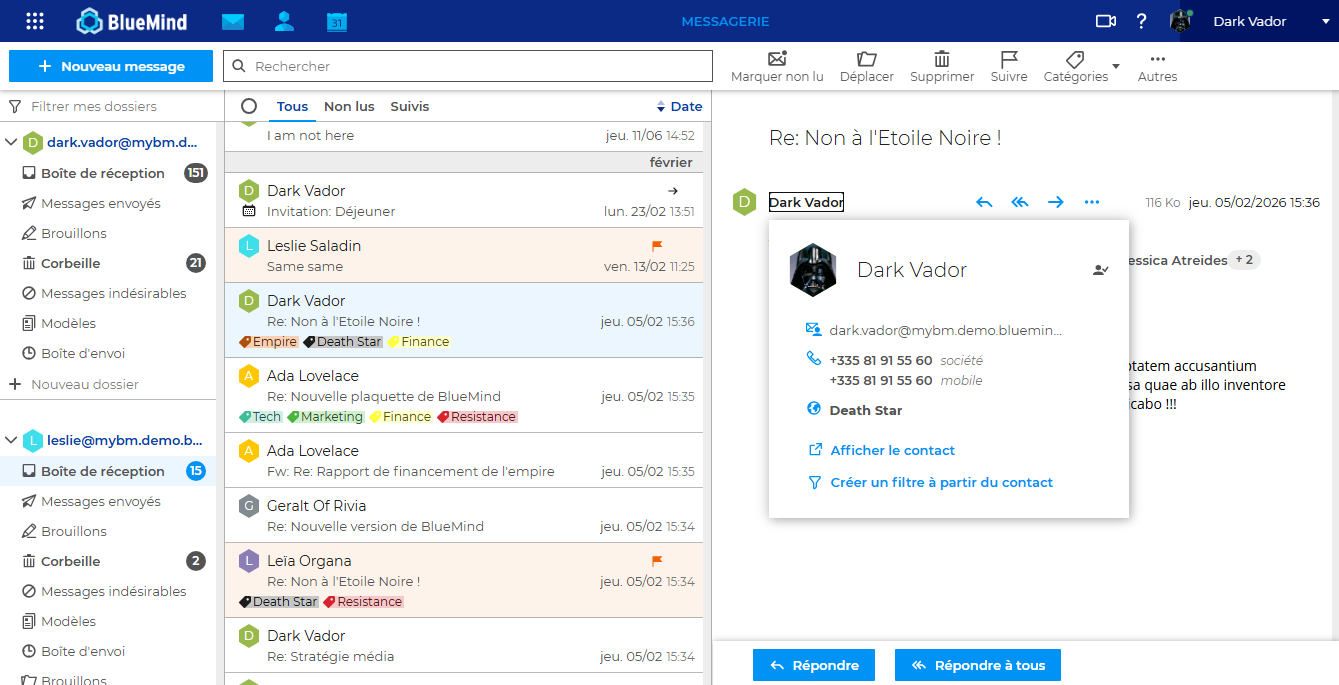
The same seamless experience extends to the mail app. You can access a sender’s or recipient’s contact details directly from an email.
Using your groups in webmail
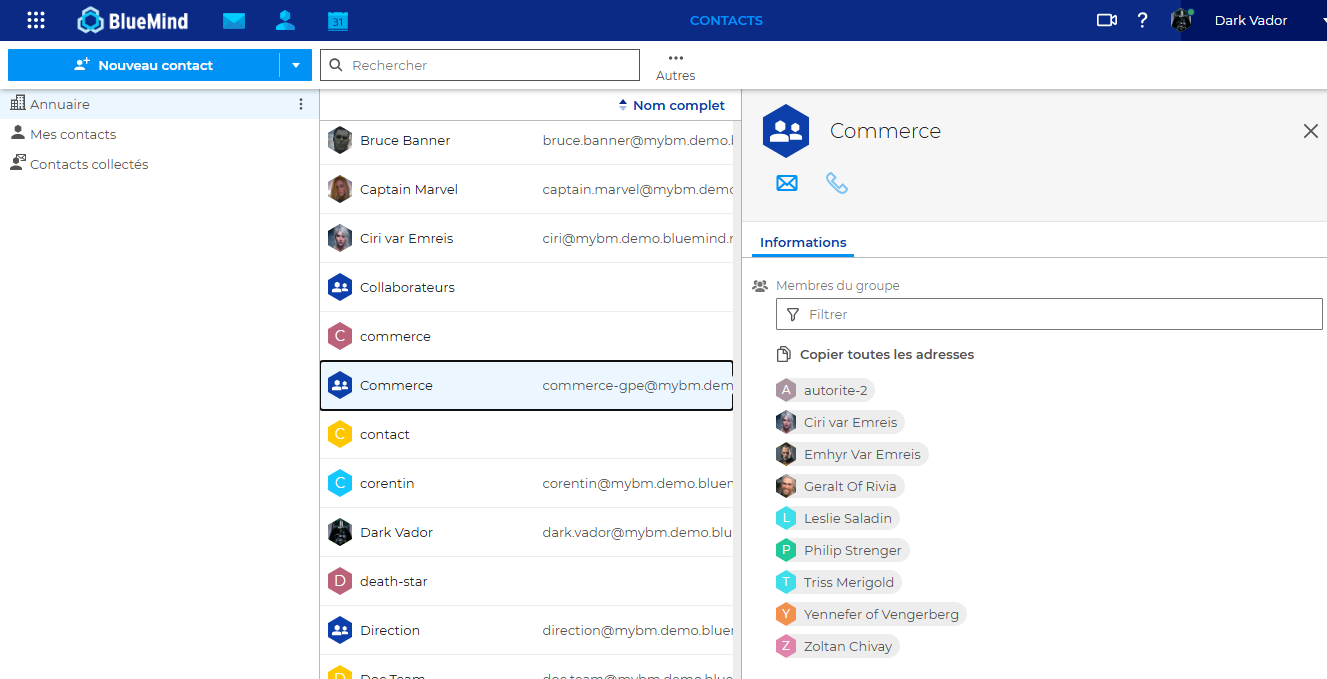
You can easily email groups of people by creating distribution lists, or personal contact groups. In webmail, for example, select your “Sales” group to email its members. You can also expand the group, replacing its name in the recipient field with all its members’ email addresses.
Organising and finding your contacts
Tags are a simple way to organise your contacts. Use them to identify a customer type, an area of activity, a project, a time period or any other useful grouping, so you can instantly find everyone concerned.
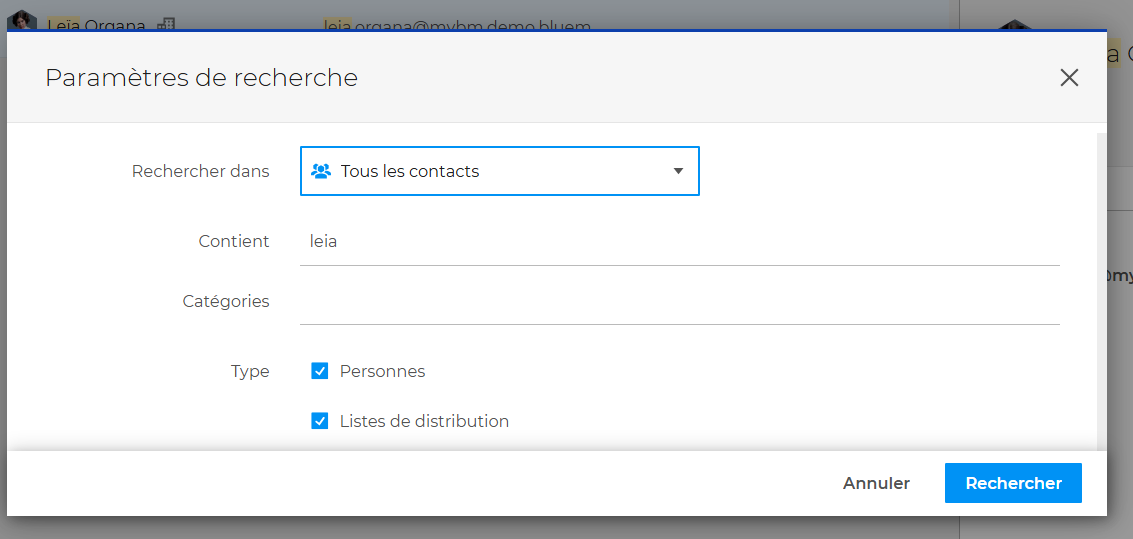
Effective contact search helps you quickly find the right people or the information you need, whether in your own contacts or your organisation’s.
In BlueMind, you can search for a contact by name, company, address, phone number or any other saved information. Combine several criteria to narrow the search to a particular address book, contact type or tag. This lets you find the people involved in a project without browsing through every address book.
Each address book also retains its own sort order. Some users prefer to sort contacts by last name, others by first name or company. BlueMind remembers these preferences, so everything is just as you expect each time you sign in.
Working with several contacts at once
From BlueMind 5.8 onwards, you can select several contacts to email them or create a group. After running a search, for example, you can bring together everyone involved in a project without opening each contact card individually.
The available actions depend on the contacts selected. The “Send an email” button remains disabled if none of them has a valid email address. To create a group, you must select at least two contacts with valid email addresses.
Address book access rights also apply to your selection. If a search spans several address books and you select even one contact from a read-only address book, all actions in the “Organise” section become unavailable except “Download”.
Building your address books as you communicate
Automatic address collection adds contacts to your Collected contacts address book as you send emails. You can find the addresses of people you have emailed without having to create a contact card for each one. You can then add details and organise these contacts as needed.
Tidying up your contacts by merging duplicates
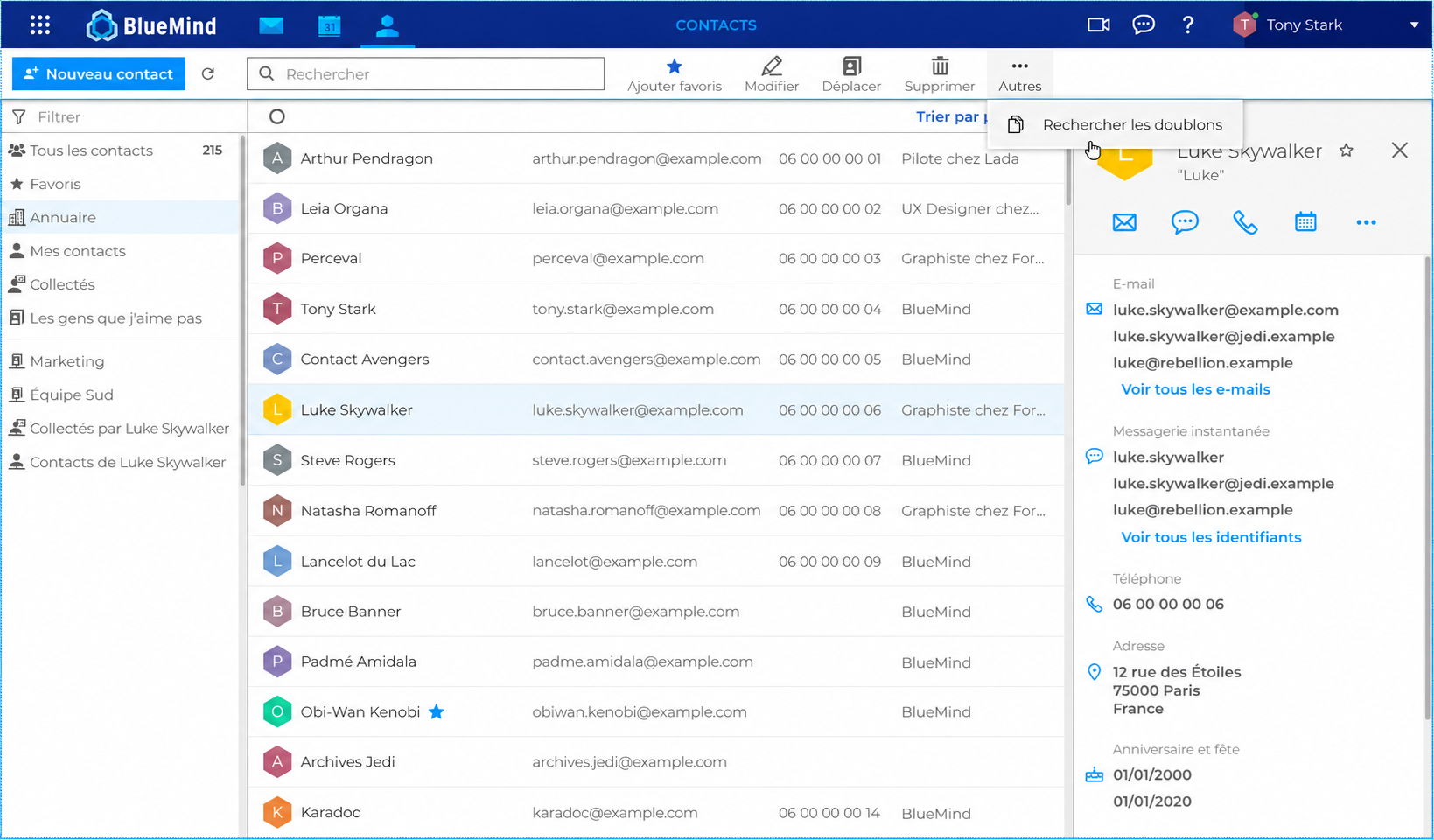
The same person often appears in several contact cards. For example, one may have been created manually to save their phone number, while another contains an automatically collected email address. Automatic address collection and imports can therefore create duplicates in your address books.
A new merge tool helps you bring together and merge similar contact cards.
The search for similar contacts uses the email address and display name on the contact card. If the selected contact is in one of your personal address books, the search covers all your own address books. If the contact is in a shared address book, the search is limited to that address book.
The same contacts wherever you work
Contacts and address books in BlueMind webmail can, of course, be synced with Outlook, Thunderbird and mobile phones. Your personal contacts, shared address books and directory are therefore available across the devices you use every day, whichever app you prefer.
This continuity removes the need to maintain separate contact lists for different apps and ensures that everyone can access the same information, whatever their working environment.
To Conclude
BlueMind 5.5 marked an important milestone, introducing features such as Exchange-style collaborative shared mailboxes, unified tags across Outlook and webmail, Mail Tips, email importance levels and group delegation. BlueMind 5.6 added undo send, email flagging, enhanced filters and new tools for calendars, shared mailboxes and video conferencing.
BlueMind 5.7 builds on this work, with improvements including a modernised Contacts app that everyone uses in their day-to-day work.
Building a credible alternative to Microsoft’s solutions takes far more than offering core features such as calendars and contacts. The challenge lies in the countless features, large and small, that people use every day and have grown accustomed to or rely on.
BlueMind makes it possible to move away from Microsoft servers by preserving the way people work.